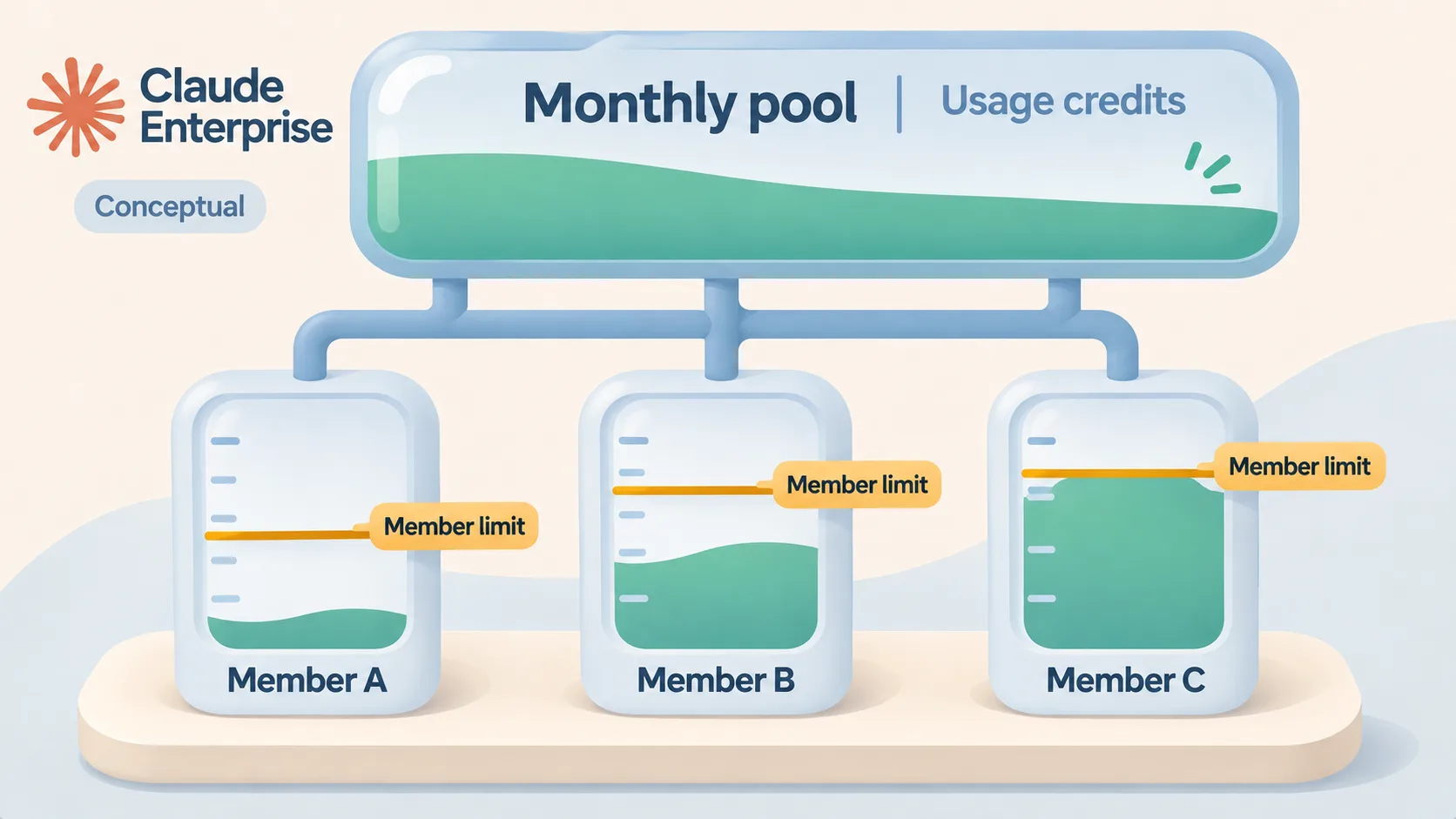
A shared budget changes how capacity is assigned
Anthropic announced pooled group budgets becoming generally available for Claude Enterprise on October 28. An administrator can also set a member monthly limit, applied separately to each member.
For a service team, the appeal is uneven work. A preparation deadline can leave one person researching and drafting while colleagues handle routine requests. Equal personal allowances may not match that week’s workload. A shared pool can follow group demand, while a member limit can set a separate boundary for one person. The team should consider both settings together: a low personal limit may leave shared capacity unusable by the colleague doing the heaviest preparation. This is distinct from the August 8 Claude Code gateway-warning update, which concerned a gateway user reaching a limit.
Start with the billing arrangement
Consider a hypothetical three-person service team on a Standard or Premium Claude Enterprise seat plan with usage credits enabled. Anthropic lists these plans as eligible. In this arrangement, the pool applies to usage credits, not the usage included with each seat; included use remains available after pooled credits run out.
That makes the pool an extra shared layer for the eligible group, not an equal prepaid share or a cap on every kind of seat access. Pooled budgets are also available on usage-based Enterprise plans. Those plans have no included usage allowance; usage is billed at API rates from the first token. It is not a seat-credit pool. Confirm which arrangement applies before planning around the feature.
Plan around one busy week, not an average person
Suppose two project deadlines land in the same week. One coordinator needs to review more source material and prepare drafts; the other two keep routine service work moving. The group can discuss capacity around that combined workload instead of assuming that each person will use the same amount. A member limit still makes sense when the owner wants a per-person boundary, but dividing the group amount evenly can defeat the flexibility the pool is meant to provide.
Before selecting a monthly amount, compare the organization’s actual usage records with the project calendar. Note whether heavy preparation recurs, whether the same people are usually involved, and when work slowed or paused. A short project peak may call for different group membership or scheduling than a permanent increase in the pool. This is a planning example, not a customer result: the useful decision is which capacity arrangement matches the work that actually arrives.
Check what happens when people share groups
When a member belongs to multiple groups with pooled budgets, Anthropic’s Help Center says the largest pool pays first by default, then the next largest with usage remaining. An owner can set a custom order when at least two groups have pools. Check that order against how project staff are assigned across teams.
If a member monthly limit is set, covered usage requests count against that user limit and the applicable group pool. In the seat-based example above, Anthropic says further usage-credit requests stop when the member limit or all usable pools are exhausted; included seat usage remains available separately. The practical question is whether the person-level and group-level stopping points fit the work plan.
Give someone ownership of the monthly review
A useful review records group membership, current limits, actual usage, and work paused after a limit was reached. Compare that with the upcoming project calendar before changing the pool or moving people between groups. A quiet month and an interrupted delivery week call for different responses; looking at both helps the owner distinguish unused capacity from a limit that constrains planned work.
An administrator with the appropriate Billing permission can configure budgets in Organization settings under Usage. That permission applies across the organization, and the Help Center says the Admin API cannot currently manage pooled budgets. Verify the organization’s plan and access before relying on the feature; published rules do not reveal a particular tenant’s settings.