What OpenAI announced on October 26
OpenAI announced GPT-6.1 Terra on October 26, describing it as a fast, efficient model for visual reasoning, computer use, and writing. Its examples include acting on application screens and filling forms. That makes Terra relevant to work inside existing software, but does not establish a ready-made accounting connection or reliable operation in every application. An integration still needs to provide the screen environment, a driver for permitted actions, and a way to check the result.
Access depends on the product surface. OpenAI’s October 26 release notes describe a rollout in ChatGPT Work and Codex for Plus, Pro, Business, Enterprise, and Edu, subject to plan, region, workspace settings, and timing. Its Work and Codex guide distinguishes those surfaces from regular ChatGPT conversations. API use with model identifier gpt-6.1-terra is a separate route with separate billing. Check the exact account before planning around availability.
Test one invoice from source to reviewable draft
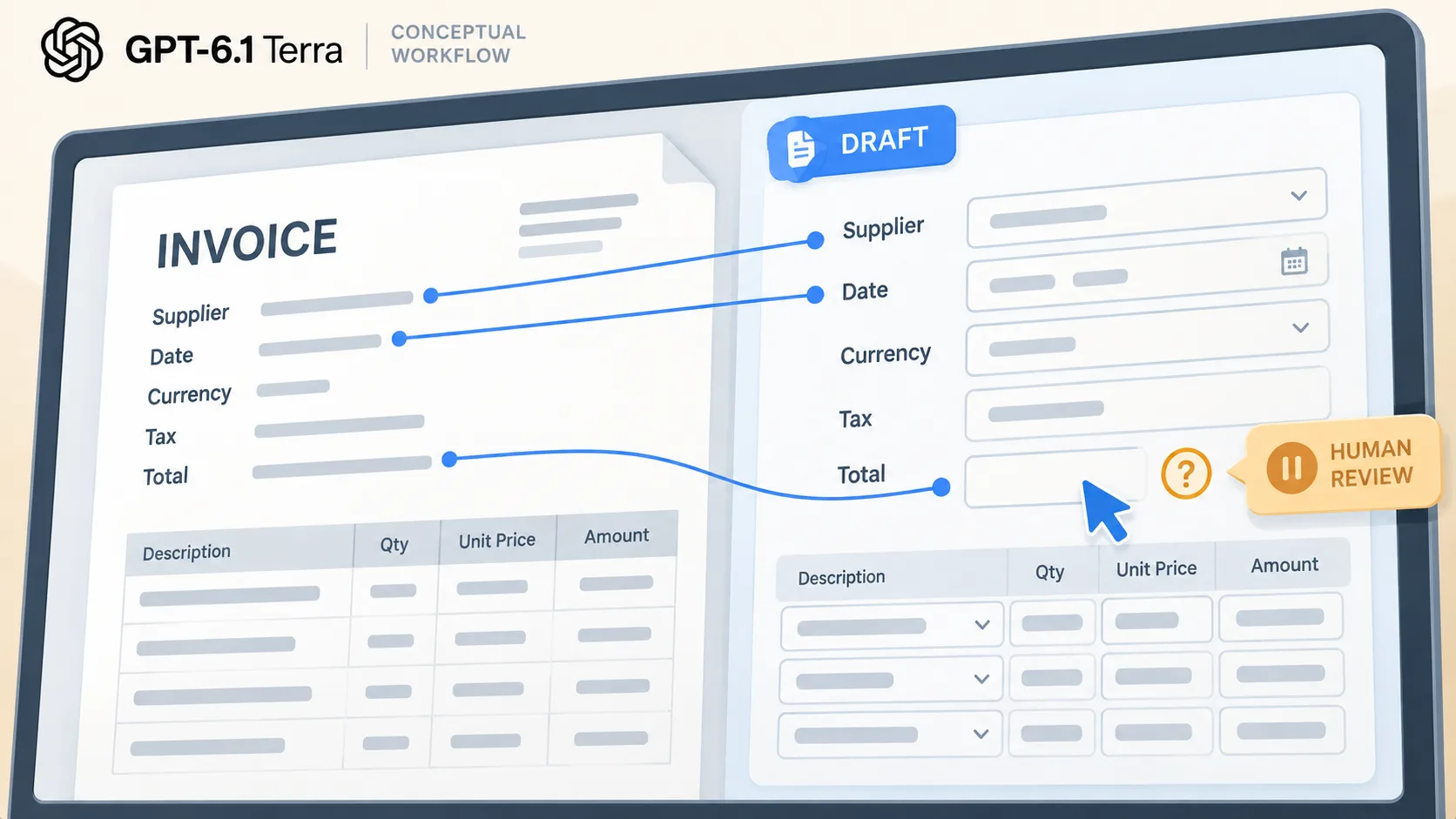
A narrow first question is whether computer use can prepare an invoice-entry draft for a person to reconcile. Use synthetic or approved sample invoices in a sandbox, training account, or isolated copy. Agree on fields first: supplier, date, currency, invoice number, line items, subtotal, tax, and amount due. Preserve the source context for each proposed value. Mark missing or ambiguous fields as uncertain instead of guessing.
The target is a reviewable DRAFT in the test environment. A reviewer checks each field and the arithmetic against the invoice, including tax and amount due. The trial ends there: no payment, sending, submission, or live-ledger change. OpenAI’s computer-use guide puts the environment and action handler in the integrating application’s hands. The business or builder must create the test screen, limit actions, and verify the draft.
Count the completed and reviewed task
OpenAI’s Standard API rates for requests up to 272,000 input tokens are $1 per million input tokens, $0.05 per million cached input tokens, and $5 per million output tokens. These are API token rates, not a ChatGPT subscription price or a price per invoice. Tool calls or hosted execution can add charges. API and ChatGPT billing are separate.
For each trial, count the path from opening the test document to reviewer acceptance or correction: tokens, computer-tool calls, environment costs, retries, field corrections, and review time. Keep the result tied to the invoice source and fields checked. Compare cost per completed-and-reviewed invoice with the current process. Record first-pass matches separately from corrected fields so a reviewed result does not hide rework. A low token bill can still mean more work if tax is misread or corrections pile up.
Make the data path and stop point visible
Computer use is a loop: an application sends a task, runs permitted actions, captures the screen, and returns that screenshot to the model. Map where the invoice image, screenshots, prompts, tool actions, and logs go, and who can access them. The integration guide describes the action flow but does not settle an organization’s retention, contract, or access questions. Resolve those before using live invoices.
Keep the stop point explicit. The model may prepare a draft in a restricted test environment; a person checks it and approves any later step through the ordinary process. The pilot cannot click payment, transmit an invoice, submit an entry, or edit production records. That lets the business evaluate invoice entry without asking the model to make a financial commitment or treating its final message as proof.
Decide from a small, representative batch
Choose invoices that reflect ordinary variation: different layouts, multiple line items, tax, and an unclear or incomplete field. Use the mix staff actually receive, not a set selected to make a demo look good. Record expected values before the run. Compare the draft field by field, note corrections and exceptions, and see whether the source trail makes review straightforward. This is a proposed evaluation, not a claim that Terra passed an invoice test or that OpenAI publishes accuracy for your software.
Continue only if drafts are traceable, reviewers can catch errors, and total cost and review time compare favorably with today’s process. If a specific field or layout is weak, narrow the workflow or keep it manual. If the tool cannot show what it read or which actions it took, improve the integration and evidence trail before expanding. The decision is whether verified drafts save enough work to justify maintaining this setup.