The question is bigger than the prompt box
On October 15, 2026, Bud appeared on MPB Think Radio’s In Legal Terms with host Adam Kilgore and producer Liz Gill. In the discussion, he raised a practical concern for anyone using AI at work: what happens to information after it leaves your screen? He urged listeners to think about the service and its safeguards before sharing whole files, and described ShepBuild as building AI workflows for businesses. The same question applies to customer records, internal documents, and other everyday business information.
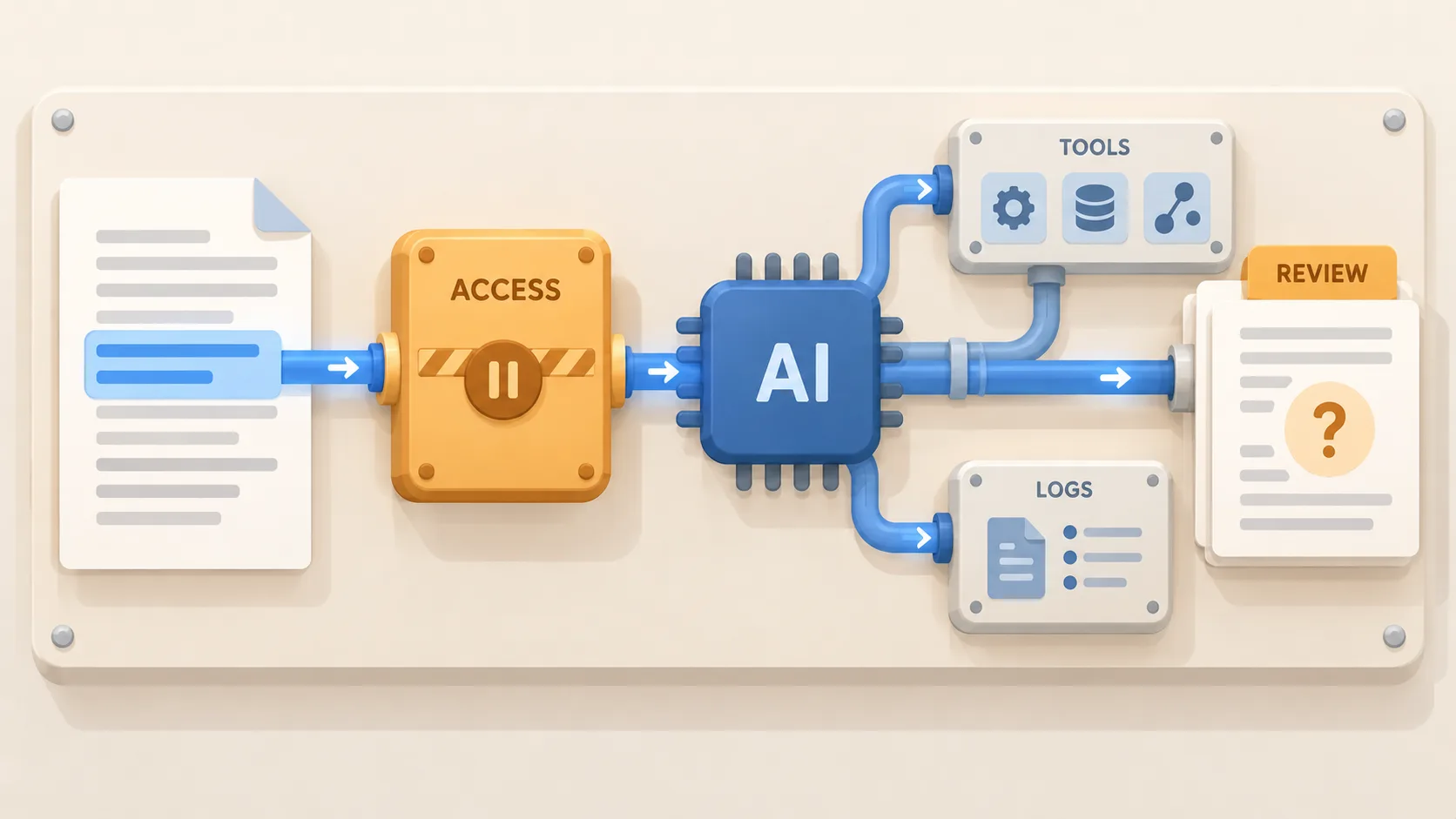
For a business, privacy is a path through a workflow. A file may pass from an employee’s device to an AI service, then through connected storage or other tools. The prompt or output may be retained in logs or an account history. Staff permissions, administrator access, backups, and later deletion also matter. Moving computation onto a local computer can change some parts of that path, but it does not by itself settle endpoint security, connected services, backups, or who can access the device.
Map the route before sharing a real record
Before approving a use, write down six things in plain language: what information goes in; which model and hosting service process it; what connectors can also see; whether prompts and outputs are retained and for how long; who can access the account, files, and logs; and how the information can be deleted. Check the actual plan, configuration, and current service terms. Do not infer the answer from a product label such as “private,” “business,” or “local.”
The Federal Trade Commission’s general small-business security guidance recommends keeping only information a business needs, disposing of it when there is no longer a legitimate need, and limiting access to people who need it. Those are useful questions for an AI workflow too: can the task be done with less detail, and can access be narrower? They do not certify a particular AI service or configuration.
Use a small, synthetic example first
Imagine a professional-services firm wants AI to turn an intake form into a first-pass internal checklist. The initial trial can use a made-up customer, invented contact details, and a fictional project description. The team can see whether the workflow produces a useful checklist without exposing a real person’s information. If the task requires an actual record, an owner should first confirm that the specific service, account settings, access controls, and retention practices fit the organization’s rules for that data.
Keep the trial narrow: one source, one output, and one person responsible for checking it. Record only the minimum audit metadata needed to retrace the work, such as a source reference, approved scope, corrections, retention locations, and the reviewer. Restrict access to that record and avoid creating unrestricted copies of sensitive prompts or files. Treat an AI-generated checklist as a draft for a person to review, not as an instruction to contact someone, change a customer record, or make a consequential decision.
Make ownership and stopping points explicit
A useful workflow description names its owner, approved inputs, allowed connections, reviewer, retention decision, and steps for removing access and deleting test material. It should also say what the system must hand back to a person. If no one can explain how to inspect the result or stop the workflow, the team has not finished designing it.
NIST’s AI Risk Management Framework Playbook offers voluntary guidance organized around Govern, Map, Measure, and Manage. A small business can borrow that sequence without treating it as a certification: assign responsibility, map the workflow, check it on sample cases, and adjust or stop it when the evidence calls for that.
Start with one boundary you can verify
Bud also described AdvocateOS as a local-file workbench with attorney review and an audit trail. That was his description in the interview. His example illustrates a design choice; privacy still depends on the complete setup.
The smallest next step is to choose one repetitive task, draw its data path, and try it with synthetic or otherwise approved sample material. Expand only after the owner can answer what went in, where it went, who could see it, what was retained, and who checked the result.