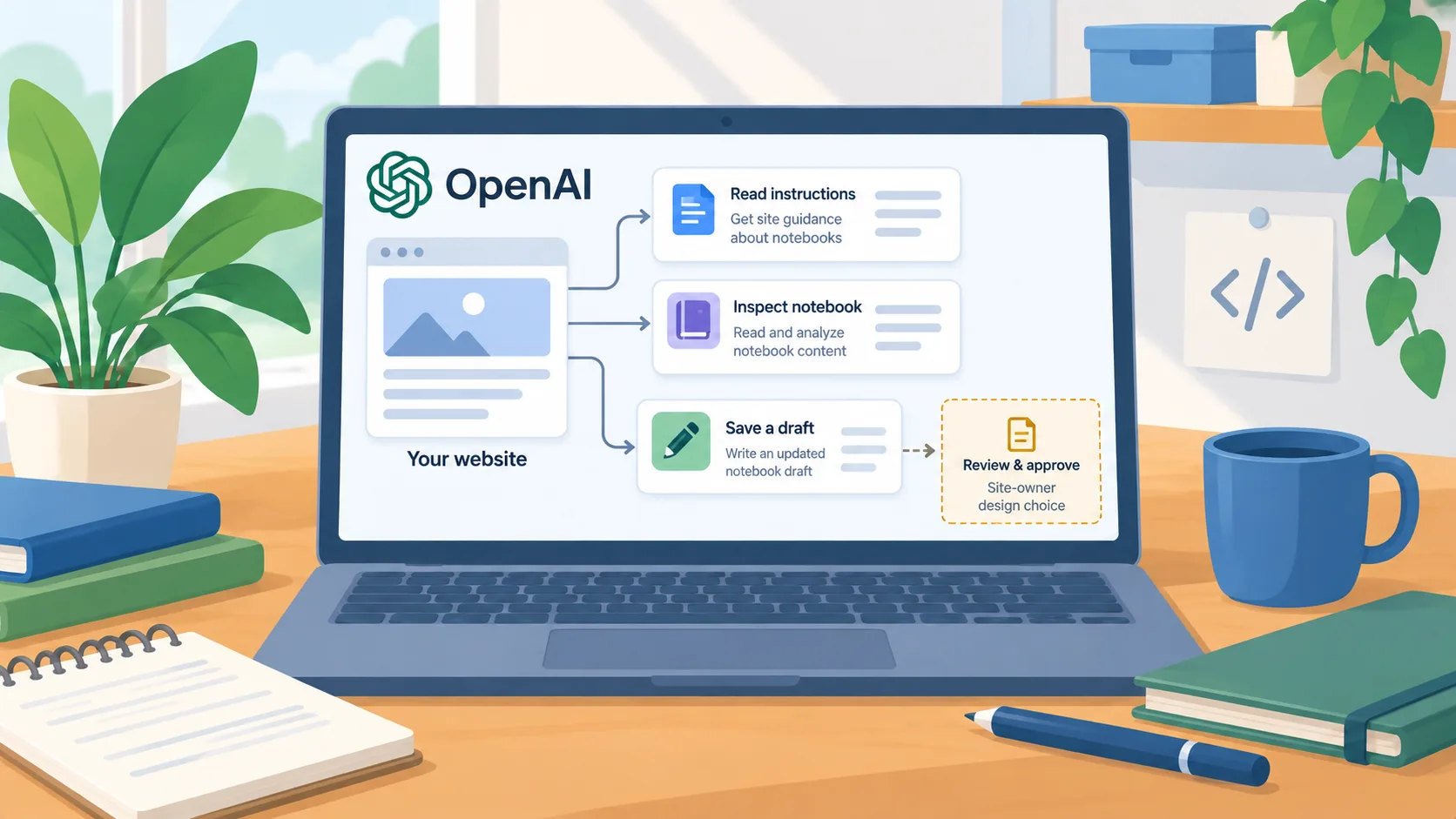
OpenAI shows Codex using tools exposed by a website
On August 25, 2026, OpenAI published a Codex engineering article describing how Runme uses WebMCP to expose browser-side tools from its notebook application. The example lets Codex read the notebook instructions, run bounded JavaScript to read or update notebook content, and read application documentation. OpenAI explains that Runme is a client-side application and that a conventional server MCP endpoint would add infrastructure and change where notebook data is handled. The article is a specific implementation example, not evidence that every website or every Codex session supports the same tool set.
The business implication is a shift in how an interactive site can make itself usable to an agent. Instead of relying only on an agent to recognize buttons and imitate a person, a site can expose named actions that describe what the application is capable of doing. For a web app with clear workflows, that can make the agent’s available actions more explicit. It also makes the website owner responsible for defining those actions carefully.
Expose the smallest set of useful actions
Begin with the user’s task, then identify the few actions that would let an agent complete it. A project tracker might expose read status, add a comment, or move an item to a new stage. A document workspace might expose search, preview, or save a draft. Avoid presenting broad access to every application function just because the site can call it. Each tool should have a narrow purpose, clear inputs, and a visible result that a person can verify.
Separate read actions from write actions. An agent that can inspect a record does not automatically need the ability to delete it, send it to another person, change account permissions, or publish a result. For actions with meaningful consequences, decide whether the site should ask the user for confirmation and what information the confirmation needs to show. A concise tool description should make its effect legible: what record changes, which account is affected, and whether the action can be undone.
Keep the same access checks you already apply to a logged-in user. A tool interface should not bypass the site’s account permissions or trust an instruction found in the page as if it came from the user. Validate inputs on the application side, limit the data returned to what the requested task needs, and record the action in the same audit trail as other changes. These are design recommendations for site owners, not claims about controls provided automatically by WebMCP.
Test with realistic tasks and a clear failure path
Test whether an agent can discover and use each tool with a short task set. Include the ordinary path, missing information, a permission denial, a malformed input, and a request that should not call the tool. For a write action, check that the correct record changes and that a second run does not create duplicates or repeat an external effect. A tool that works in a developer demo may still need better descriptions, narrower inputs, or stronger confirmation before it is suitable for real users.
Make errors useful to both the agent and the person reviewing the outcome. If the user is not authorized or a required field is missing, return a clear reason and a safe next step rather than pretending the task succeeded. Keep a way to inspect the action and its result from the site’s normal interface. This makes troubleshooting possible without relying on a long chat history as the only evidence of what changed.
Choose a rollout based on the operation’s risk
A simple information lookup or preview can be a good first experiment. A write action that changes a customer record, sends an email, triggers a payment, or publishes content deserves a smaller pilot and a human confirmation boundary. If the application already has server-side APIs, compare the cost and control of exposing a browser-side action with using those existing services; one approach will not fit every workflow.
The practical next step is to choose one repeated task in your web app and design one narrow, non-destructive tool for it. Test discoverability, input validation, permissions, and the user-visible result before adding write access. The point of an agent interface is to make the site’s capabilities explicit; the owner still decides which capabilities the agent should receive.