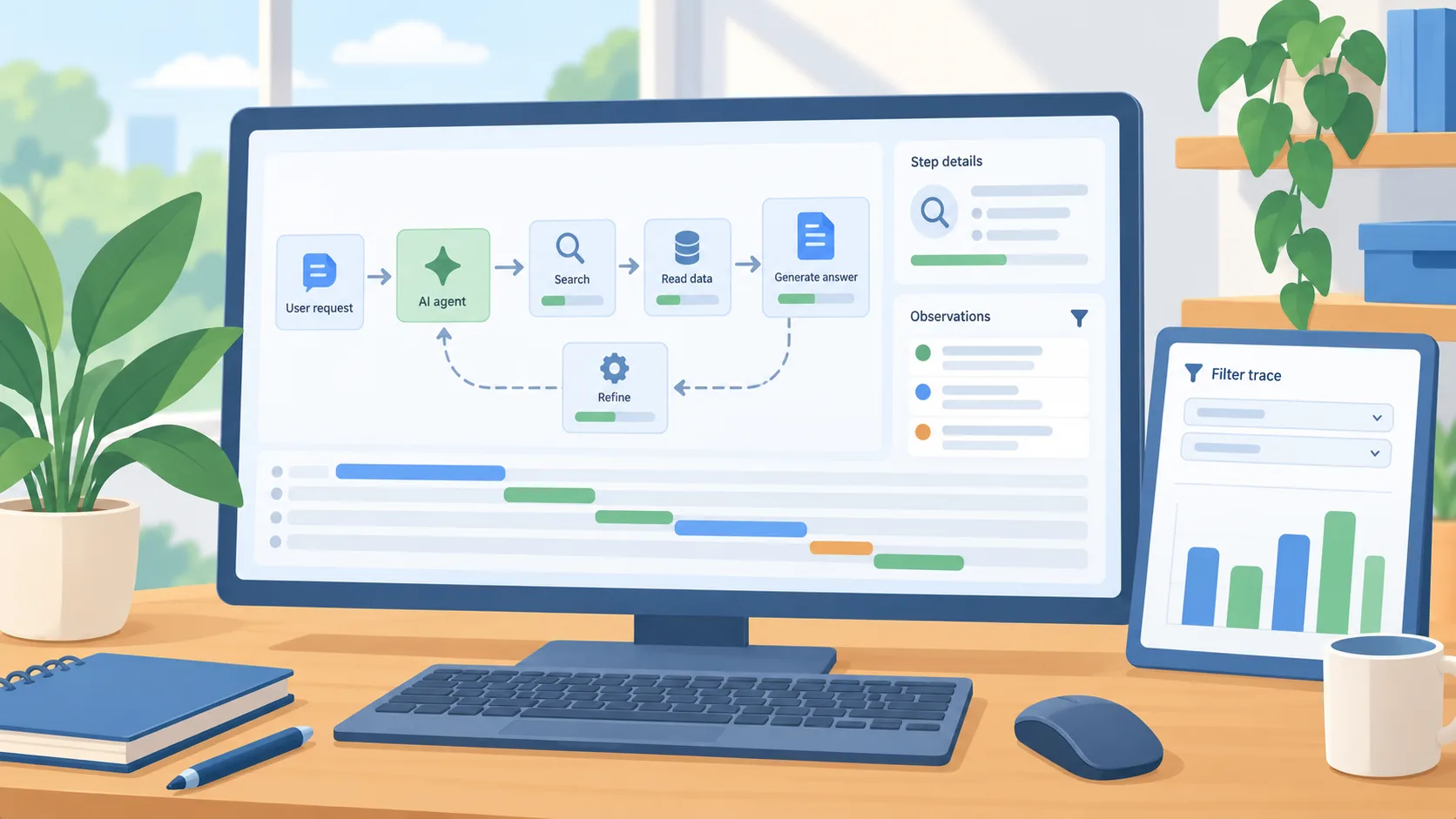
A more readable trace is useful when a workflow goes wrong
Langfuse’s July 31 update described new ways to inspect traces, graph agent steps, chart filtered observations, and manage dashboards through APIs and other tools. The graph can present a compact view of repeated steps or expand an individual run into its execution sequence. The business use is not the chart itself. It is the ability to find where a slow, expensive, or unhelpful AI workflow spent its time and what happened before the result reached a person.
Use Langfuse’s dated product update to identify the new inspection tools, then decide what evidence your own workflow needs. A trace can explain a response path; it does not establish that the final answer was accurate or appropriate. Keep measurements from your own controlled test separate from vendor feature descriptions and illustrative diagrams.
Instrument one workflow before building a wall of charts
Choose a single AI workflow that has recurring use and a clear owner. Capture the minimum information needed to understand a run: a trace identifier, environment, release or prompt version, operation type, duration, and outcome. If the workflow uses retrieval or tools, include which source or action was involved. Avoid collecting full customer content by default. Decide what must be masked, who can view trace data, and how long it should be retained before instrumentation goes live.
Set one operational question for the first dashboard. Examples include whether a release increased response time, which step consumes most of a request, or whether a particular tool is frequently retried. A filtered chart can help narrow down a spike, while the graph view can reveal repeated calls or an unexpectedly long branch. Keep the dashboard tied to a decision the owner can make rather than adding metrics because the platform can display them.
Connect traces to a correction process
When a run looks wrong, inspect the prompt and relevant context, retrieval or tool result, model output, and downstream action. Ask the workflow owner to identify the failure category: stale source, missing input, unsuitable instruction, slow dependency, tool error, or a response that does not satisfy the business requirement. A trace provides evidence for that review; it cannot decide which outcome the business considers correct.
Turn meaningful failures into sanitized examples for later tests. Store the expected result or review rule beside the example and run it after a prompt, retrieval, tool, or model change. That separates operational observability from quality evaluation. A low-latency workflow can still be wrong, and a costly call may be justified when it handles an unusual case correctly. Measure the outcome and the path that produced it.
Protect the second copy of the data
Tracing can create another store of prompts, tool outputs, and user identifiers. Review whether the data belongs in that system and whether the telemetry configuration applies the same privacy rules as the application. Redact unnecessary identifiers and secrets before sending observations. Restrict access by role, test the masking behavior with synthetic examples, and document how a trace can be removed if a user or administrator requests it.
An observability system may capture details a team did not intend to retain if its instrumentation is too broad. Treat this as an implementation risk to verify with synthetic inputs, rather than assuming a particular vendor mishandles data. If your team cannot maintain the storage and access controls, begin with a smaller sample or use a deployment that meets your data requirements.
An owner-level test
Have a developer instrument one low-risk workflow and ask its owner to review a real test trace. Can both identify the inputs, steps, cost or duration drivers, and the final business result? Can they tell when a trace contains sensitive data? If the answer is no, improve the instrumentation or access process before adding dashboards. If yes, select one useful alert or trend and assign someone to act on it.
The July changes make trace exploration more accessible, but value comes from pairing visibility with a human correction loop and careful data handling. Start with a question, inspect the run, and let the workflow owner decide what should change.